> ## Documentation Index
> Fetch the complete documentation index at: https://docs.getcmd.dev/llms.txt
> Use this file to discover all available pages before exploring further.
# Welcome to cmd
> The best AI in Xcode, open source
## Get Started in Minutes
cmd brings powerful AI assistance directly into Xcode. Choose your path to get started:
Install and configure cmd in just a few minutes
Understand what makes cmd special
## Why cmd?
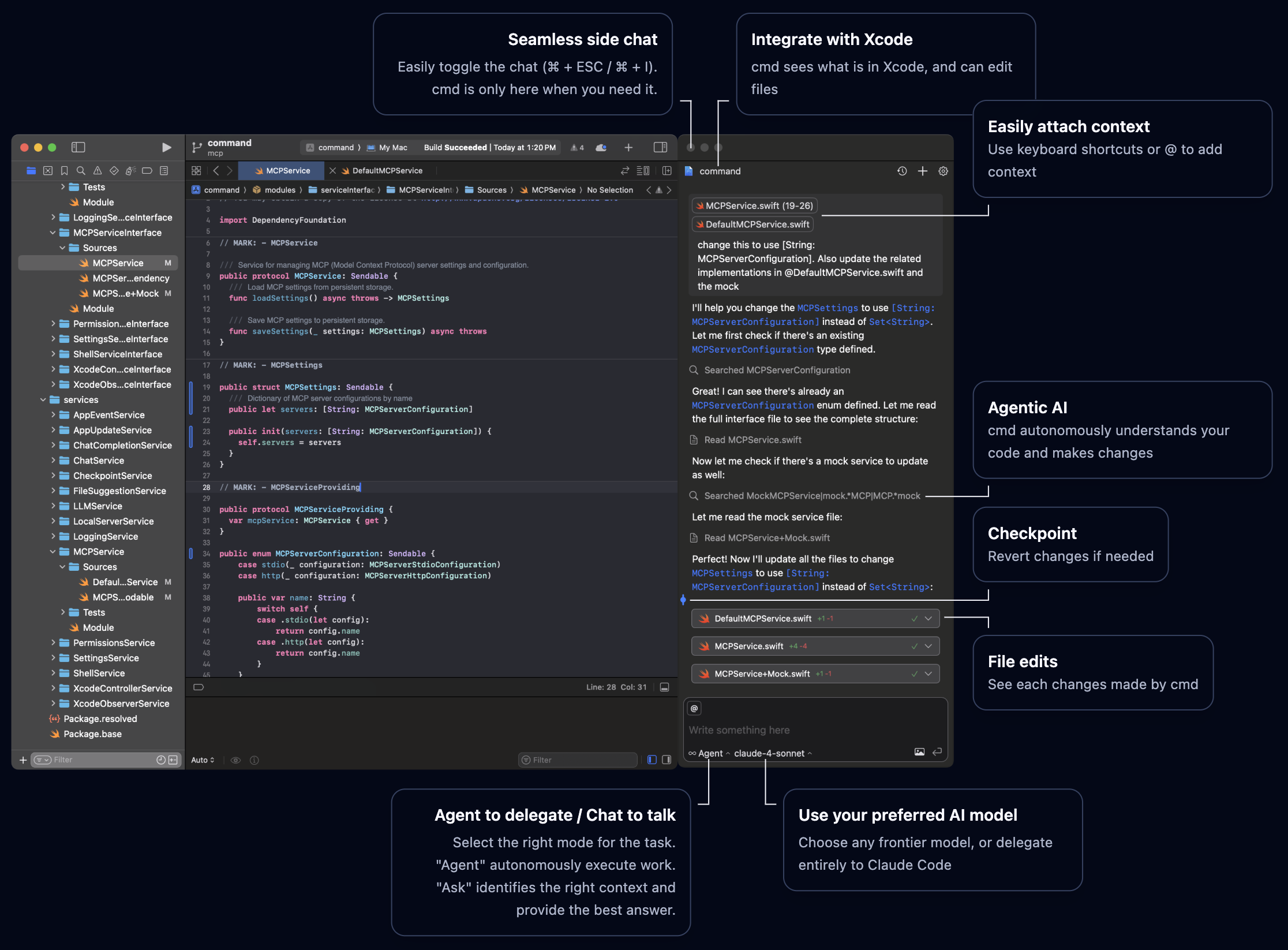
Works alongside Xcode and integrates with Xcode 26's native AI interface
Autonomous agents that understand context and check their own work
Fully transparent, runs locally, you control your data
Works with any AI provider of your choosing
Delegate entire tasks to Claude Code through a native interface
## Main Features
Intelligent code suggestions as you type:
* Natural, context-aware completions for Swift
* Multiple provider support: GitHub Copilot, Mistral AI, Mercury Coder.
* Automatic or on-demand trigger modes
* Seamless integration with Xcode
Learn how to configure Code Completion →
Delegate entire tasks to autonomous agents. They can:
* Edit multiple files
* Discover relevant information in your codebase
* Run builds and tests
* Fix errors
* Check their own work
You stay in control with instant feedback and granular permissions.
Learn how to configure Agent mode →
Get detailed answers and explanations without modifying code:
* Understand complex codebases
* Get architectural advice
* Learn about patterns and practices
* Context-aware responses from your actual code
Learn how to configure Ask mode →
Delegate entire tasks to external agents you love, without leaving Xcode:
* **Claude Code**: Anthropic's agentic coding assistant
* **Codex**: OpenAI's code generation agent
* **Gemini CLI**: Google's AI agent for the terminal
Rich native UI for better visibility and control over agent tasks.
Learn how to configure External Agents →
Run AI models entirely on your machine with Ollama:
* **Complete privacy**: Your code never leaves your infrastructure
* **Custom models**: Use specialized or fine-tuned models
* **Network deployment**: Run Ollama on private network servers
* **Offline development**: Work without internet connectivity
* **No API costs**: Unlimited inference without per-token charges
Tested successfully with models like devstral-small-2 and qwen3-coder.
Learn how to configure Ollama →
Interact with cmd through Xcode 26's native AI chat:
* Use Xcode's built-in interface or cmd's sidebar
* Get cmd's powerful agentic AI in Xcode's native UI
* Easy configuration on port 10101
* Flexibility to choose your preferred interface
## Installation
```bash theme={null}
brew install cmd
```
Or [download the DMG](https://github.com/getcmd-dev/cmd/releases/latest)
Allow accessibility access when prompted
Add your API key from OpenAI, Anthropic, or another provider
Open Xcode and start using cmd
Need help? Follow our complete installation guide
## Customize cmd
Make cmd work the way you want:
Set up your preferred AI providers with API keys
Choose which models to enable and use
Extend capabilities with Model Context Protocol servers
## Join the Community
Contribute, report issues, or browse the source code
Visit the official cmd website
***
cmd is open source and runs entirely on your machine. Your code is only sent to the AI providers you choose. You can opt out of anonymized analytics.

 ## Get Started in Minutes
cmd brings powerful AI assistance directly into Xcode. Choose your path to get started:
## Get Started in Minutes
cmd brings powerful AI assistance directly into Xcode. Choose your path to get started: