


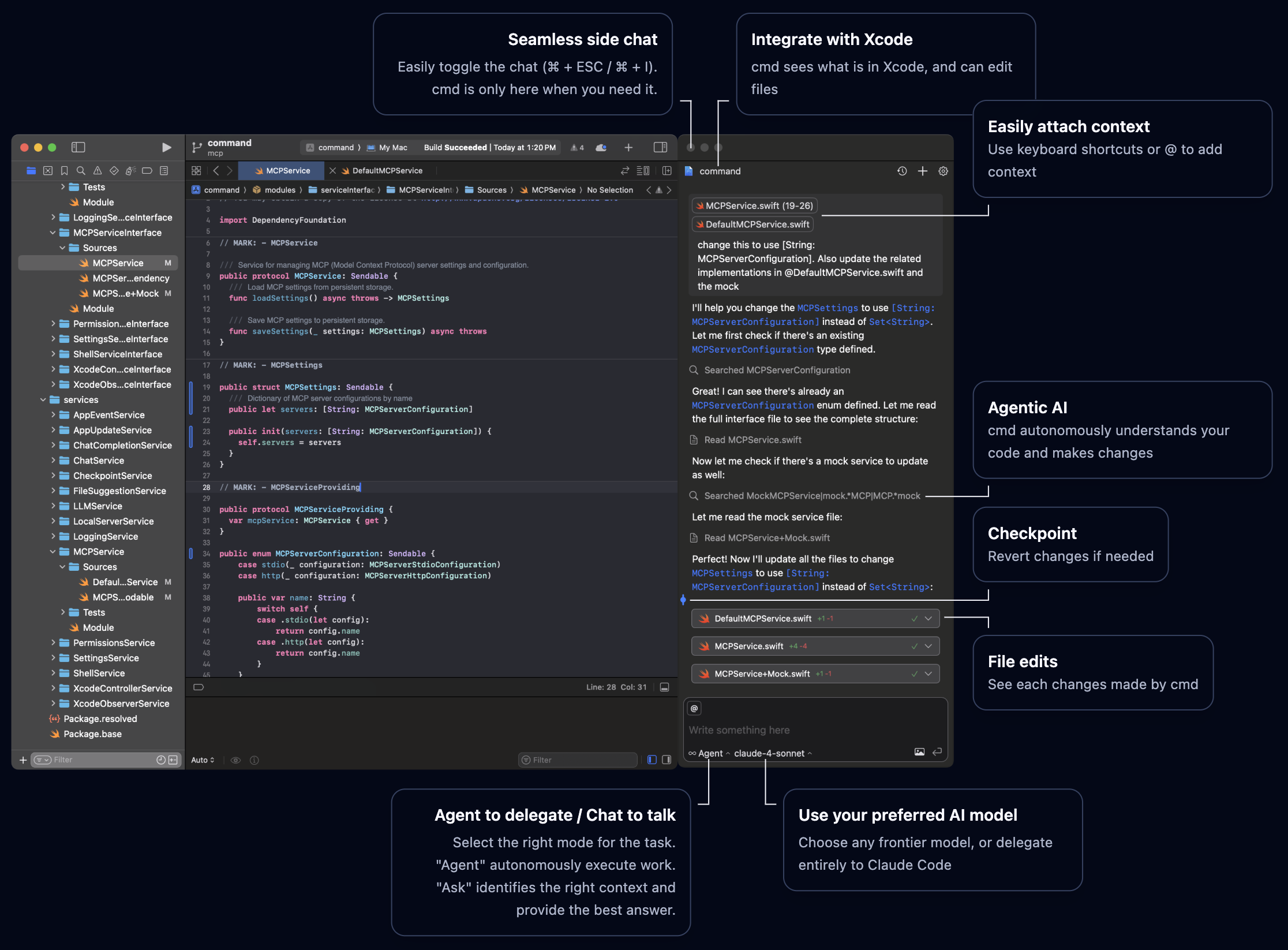
Get Started in Minutes
cmd brings powerful AI assistance directly into Xcode. Choose your path to get started:Quick Start
Install and configure cmd in just a few minutes
Learn More
Understand what makes cmd special
Why cmd?
Seamless Integration
Works alongside Xcode and integrates with Xcode 26’s native AI interface
Agentic AI
Autonomous agents that understand context and check their own work
Open Source
Fully transparent, runs locally, you control your data
Your Choice of AI
Works with any AI provider of your choosing
External Agents
Delegate entire tasks to Claude Code through a native interface
Main Features
- Code Completion
- Agent Mode
- Ask Mode
- External Agents
- Local Inference
- Xcode 26 Integration
Intelligent code suggestions as you type:
- Natural, context-aware completions for Swift
- Multiple provider support: GitHub Copilot, Mistral AI, Mercury Coder.
- Automatic or on-demand trigger modes
- Seamless integration with Xcode
Installation
1
Install
2
Grant Permissions
Allow accessibility access when prompted
3
Configure AI
Add your API key from OpenAI, Anthropic, or another provider
4
Start Coding
Open Xcode and start using cmd
Detailed Installation Guide
Need help? Follow our complete installation guide
Customize cmd
Make cmd work the way you want:Configure AI Providers
Set up your preferred AI providers with API keys
Select Models
Choose which models to enable and use
MCP Servers
Extend capabilities with Model Context Protocol servers
Join the Community
GitHub
Contribute, report issues, or browse the source code
Website
Visit the official cmd website
cmd is open source and runs entirely on your machine. Your code is only sent to the AI providers you choose. You can opt out of anonymized analytics.